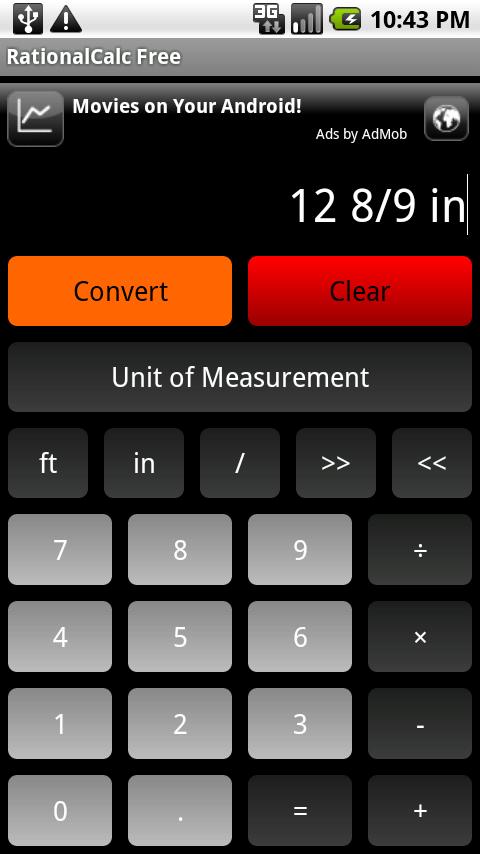
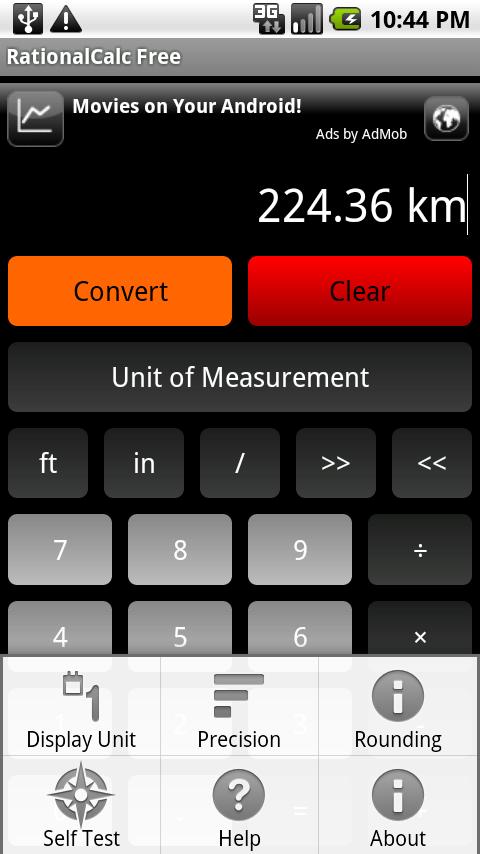
Thanks for all the feedback on RationaCalc!
To celebrate 25,000 downloads, the source for RationalCalc is being released under an MIT license on Github.
If you are simply curious about how an Android application of this type was built or would like to contribute to enhance the functionality, now is your chance.
At 50,000 downloads, we will be releasing a new version with our latest changes as well as any community enhancements that warrent inclusion.
RationalCalc on Github
31bdffca-09d1-4a72-b529-a26b13126471|0|.0
The default mode when RationalCalc is first installed is now Foot / Inch mode with the precision set to 1/16 of an inch.
Feel free to change it to meet your needs!
It was changed because feedback in the Android Market suggested that Foot / Inch mode would be a more logical default setting.
If you already have RationalCalc installed, installing the update should not disturb your current settings.
As always, we'd love to hear any feedback that you might have.
ff324d68-f60b-4691-99fd-0b301ad2c5d3|0|.0
RationalCalc just reached 10,000 downloads in the Android Market.
We would love to hear your feedback and suggestions for improvement!
6647cfc8-b261-4a36-a56c-7c793304be75|0|.0
From the comments in the Android Market, it has become clear that there is one fundamental point that is causing frustration with people getting started with RationalCalc. The problem is that they are downloading the app, trying out a couple calculations and getting what they see as incorrect answers.
For instance, @Yeti writes, "13" = 1 1/16' ? News to me. Uninstalled." and @Roy says, "1 inch does not equal 1/16 feet, delete."
The confusion is that RationalCalc always works at a specific precision. While the internal calculation is stored as a set of rational numbers making RationalCalc's results extremely accurate, the displayed answer is always rounded to the "Display Unit" and "Precision". That means that you must consider the environment that you are working in, determine the degree of accuracy that you need and set the precision setting appropriately.
For instance, a carpenter in the United States might use the following settings:
Display Unit: FT/IN
Precision: 1/16 or 1/32
A machinist who was using a tool that had 10 notches between each MM might use the following settings:
Display Unit: MM
Precision: 1/10
The default settings on first install are:
Display Unit: FT
Precision: 1/16
Rounding: Up
It is vital that you change these default settings to meet the needs of your specific task.
RationalCalc is entirely based around smoothing the difference between Metric and Imperial units and automatically rounding to a certain precision. So, when someone enters 13", they might expect to see 13" or 1 and 1/12 feet. When RationalCalc is set to Feet with a precision of 1/16, it sees 13 inches as 1 foot and a 16th of an inch because it has rounded the remaining inch to the nearest 16th of a foot.
Should I set the out of the box settings to FT/IN with a precision of 1/16? Would it be more clear if you had to select your settings when RationalCalc was first installed? Would it help if the current settings were displayed on the main screen all of the time?
Any feedback would be great!
ce045632-7822-49f5-bc4c-eb283317df39|1|4.0
RationalCalc now has a Foot/Inch mode.
To activate Foot/Inch mode, touch Settings - Display Unit - Foot/Inch.
Please leave any concerns or comments that you might have.
Thanks for using RationalCalc!
451f5a72-e926-421c-a9ca-52c650de6720|0|.0
A new release of RationalCalc is coming soon.
The major change in this update will be Feet / Inch mode and the ability to enter compound measurments, such as 3.5 ft 6 1/2 in.
The functionality is about 90% complete and should be released by January 1st.
Currently, we are working on implementing additional tests to the "Self Test" to ensure that the calculations are correct.
After the Feet / Inch release, the plan is add support for area, i.e. 3 ft x 2 ft = 0.55741824 m2.
7a691b7f-02dc-4492-8bff-a24d894498b0|0|.0
I've added a list of frequently asked questions on how to use RationalCalc.
1fcaffc0-8217-4c3a-a8f3-82adc2738774|0|.0
What's new
RationalCalc v.1.0.4 now has a menu option called "Display Options". Automatic mode shows decimal results for Metric units and fractional results for Imperial measurements. If you always want the results in fractional or decimal format, change the mode to fractional or decimal.
The font size was increased for improved legibility.
40ec5908-ce44-4bc8-a6fa-5f4a8129a0f3|0|.0
About
RationalCalc is a unit-aware project calculator for calculating length with automatic unit conversions.
It is useful if you need to measure in and convert between Imperial and Metric units.
Also, it is great for home projects as it features rounding up or down to common fractions, such as 1/4, 1/8 and 1/16.
Latest release
RationalCalc v.1.0.2 is now available in the Android Marketplace.
The app is available in two versions, RationalCalc paid version and RationalCalc Free, which is supported by ads.
Feel free to download RationalCalc Free and try it out. If you like it and want to regain the real estate taken up by the ad, you can purchase the paid version. If you don't mind ads, feel free to continue using the free version.
Feel free to post any questions or comments you have about RationalCalc.
RationalCalc

RationalCalc Free (ad-supported)

55202e60-dd77-484c-9471-f52ae2f4d474|1|5.0